Clean up in one batch
Duplicates (also http/https and www), dead links, empty folders and redirects: tick what goes, apply it in one batch, undo it in one click.
 Tuckmarks
Get Tuckmarks
Chrome extension · free
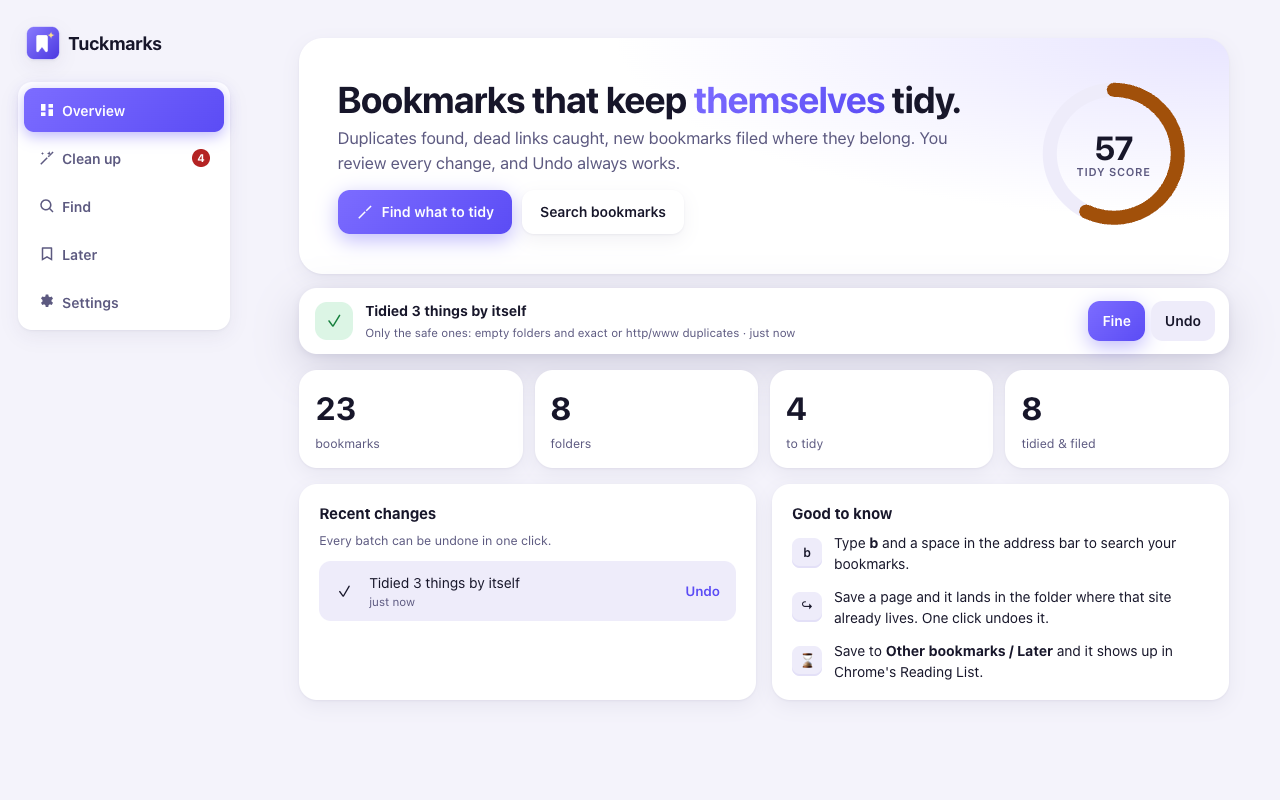
Duplicates and dead links found in seconds. New bookmarks filed where that site already lives. You review every change, and one click undoes it.
No account. No tracking. No ads or affiliate links. Your bookmarks stay in your browser.
Duplicates (also http/https and www), dead links, empty folders and redirects: tick what goes, apply it in one batch, undo it in one click.
Star a page and it lands in the folder where that site already lives. A small card says where, with an Undo button.
Type b and a space in the address bar to search titles, addresses and folders.
A Later folder that mirrors into Chrome's Reading List. Mark something read and it moves to Archive by itself.
€2.99 a month or €19 a year, cancel any time. Buy inside the extension; no account needed.
No. The free features run entirely in your browser. Only the two Pro AI features send the titles, addresses and folder names they need, and our service keeps nothing. Details in the privacy policy.
Every change goes through one batch with an undo record, and the last 20 batches can be undone from the overview. Automatic tidying only touches the safe cases: empty folders and exact duplicates.
To ask each site whether a bookmarked page still exists, Chrome needs permission to contact those sites. It is optional, asked only when you start a check, and you can remove it any time.
Yes. Tuckmarks edits your normal Chrome bookmarks, so changes sync to your other devices like any bookmark you move by hand.